How to audit a monday.com board template
A monday.com board template audit compares an approved reference structure with a board that is actually in use. The goal is to identify structural differences—such as changed columns, status labels, groups, views, or permissions—before anyone tries to “fix” the live board.
This is different from checking whether two boards contain the same items. A template audit asks whether the workflow skeleton still matches the intended design. It should produce a reviewable list of additions, removals, and changes, with enough context for an owner to decide which differences are intentional.
When a template audit is useful
Templates make it quick to establish a repeatable workflow. They do not remove the need to govern what happens after a board is created. A template audit is worth running when:
- several teams started from the same template but now report different outcomes;
- a customer or department modified its board after an implementation handover;
- a process owner is preparing a rollout and wants to know which boards still match the reference;
- a permission, view, or label change may have altered how people use the workflow;
- a managed-template publication succeeded for some supported changes, but the full state still needs human review;
- no one can explain whether a difference is deliberate, accidental, or simply undocumented.
monday.com documents both standard templates and the components they can carry and Managed Templates, including which changes currently transfer to instances. Those features solve creation and synchronization problems. An audit solves a different problem: describing the actual difference between a chosen reference and a chosen target at a point in time.
What to compare
Start with the smallest structure that can change workflow behavior. A practical first audit usually covers five areas.
1. Columns and column types
Compare stable column identifiers where available, not only display names. Record whether a column was added, removed, renamed, reordered, or changed to a different type. A People column changed to Text may look similar in a screenshot while behaving very differently for assignment, filtering, and automation.
Also compare relevant column settings. For a Status column, the label set matters. For a Dropdown column, option values matter. Formula, Connect Boards, Mirror, and app-provided columns may have platform-specific behavior that needs separate feasibility testing.
2. Status and dropdown labels
Labels are part of the process vocabulary. Adding “Qualified” between “New” and “Won” may be a valid improvement, but it is still a structural change that deserves an explicit decision. Compare the label text, order, color only when it carries agreed meaning, and any downstream dependency known to the team.
Do not automatically treat every label difference as an error. The audit should say “changed” and preserve the evidence; the process owner decides whether the target or reference is correct.
3. Groups
Compare group identifiers, titles, and order. A missing “Incoming” group can alter intake behavior. An extra archival group may be intentional. Group membership—the items inside a group—is content and should normally be excluded from a structure-only audit unless the project has a specific reason to include it.
4. Views
Record the expected views and the settings that define their purpose. A Kanban view grouped by stage is not equivalent to a Kanban view grouped by owner. A board may also have an extra private or team-specific view that should not be forced back to the reference.
5. Permissions
Board and column permissions can affect who is able to change the process. Compare the permission mode and any governed column restrictions that the available API and account permissions expose. A structure audit is not a complete security review, and a matching setting does not prove that every user has appropriate access.
Worked synthetic example
Assume an approved sales board has this reference:
- columns:
owneras People andstageas Status; - status labels:
NewandWon; - groups:
IncomingandActive; - Kanban view: grouped by
stage; - board permission mode: owners can write.
The deployed board contains:
- the same
ownerandstagecolumns; - status labels:
New,Qualified, andWon; - the same two groups;
- the same Kanban grouping;
- board permission mode: everyone can write.
A useful audit does not return a vague “boards differ” result. It returns two findings:
- Changed status configuration:
Qualifiedexists on the deployed board but not on the reference. - Changed board permission: the target allows everyone to write, while the reference limits writing to owners.
Both findings need interpretation. The new label could represent a legitimate improvement that should be promoted back into the reference. The permission change could be an approved local exception. The audit provides the delta; it should not silently overwrite either board.
A repeatable board-template audit checklist
Use this checklist before a rollout, handover, or remediation session.
Define the comparison
- Name the reference board and record why it is authoritative.
- Name the target board and record its workspace and owner.
- Capture the comparison time.
- Decide whether the audit covers structure only or also selected automation and integration settings.
- Document known local exceptions before reviewing findings.
Collect evidence
- Export or read stable column identifiers and types.
- Capture label sets and settings for governed columns.
- List groups and their order.
- List governed views and the field each view uses.
- Record the board-level permission mode and any relevant column restrictions.
- Record fields that were unavailable because of plan, permission, API, or app limitations.
Classify each difference
- Added: present only on the target.
- Removed: present only on the reference.
- Changed: the same logical object has different settings.
- Unknown: insufficient evidence to compare safely.
- Accepted exception: reviewed and deliberately allowed.
Review before action
- Ask the board owner whether each difference is intentional.
- Check whether an automation, integration, dashboard, or form depends on the changed object.
- Decide whether the reference should change, the target should change, or the exception should remain.
- Assign any remediation outside the audit and require a separate approval.
- Re-run the comparison after approved changes to confirm the intended state.
Template audit versus board duplication
monday.com's board duplication guidance describes structure-only, structure-and-items, and structure-items-and-updates options, along with component-specific limitations. Duplication answers “how do I create another board from this one?” It does not answer “how does a board created months ago differ from the reference today?”
Likewise, Managed Templates can publish supported updates to connected instances. That is an operational synchronization feature. A comparison remains useful when:
- the target predates the managed-template relationship;
- a relevant object or change is not covered by the current synchronization behavior;
- a publication error or exception needs investigation;
- an owner needs an evidence record before approving remediation;
- local customization is allowed but must be documented.
The safest workflow is not “template always wins.” It is “compare, explain, approve, then change through the platform's supported controls.”
What a board-template audit cannot prove
A structural match does not prove that the workflow is working correctly. It does not establish that:
- item data is complete or accurate;
- automations and integrations executed successfully;
- dashboards calculate the intended metrics;
- connected-board mappings are correct;
- users follow the agreed operating process;
- the board is backed up or recoverable;
- every permission and audit event has been reviewed.
API coverage also varies by object, account capability, app permission, and platform changes. An unavailable field must be marked unknown rather than assumed to match. Any connected audit should begin with a feasibility review of the exact boards and fields in scope.
A good audit output
The result should be small enough to act on and detailed enough to challenge. For every finding, keep:
- the object type and stable identifier;
- the reference value;
- the target value;
- the classification;
- the comparison rule;
- the evidence boundary;
- the review decision and reviewer, if the organization records approvals.
Avoid a single unexplained alignment score. A summary can help prioritize, but the underlying differences are what make the audit useful.
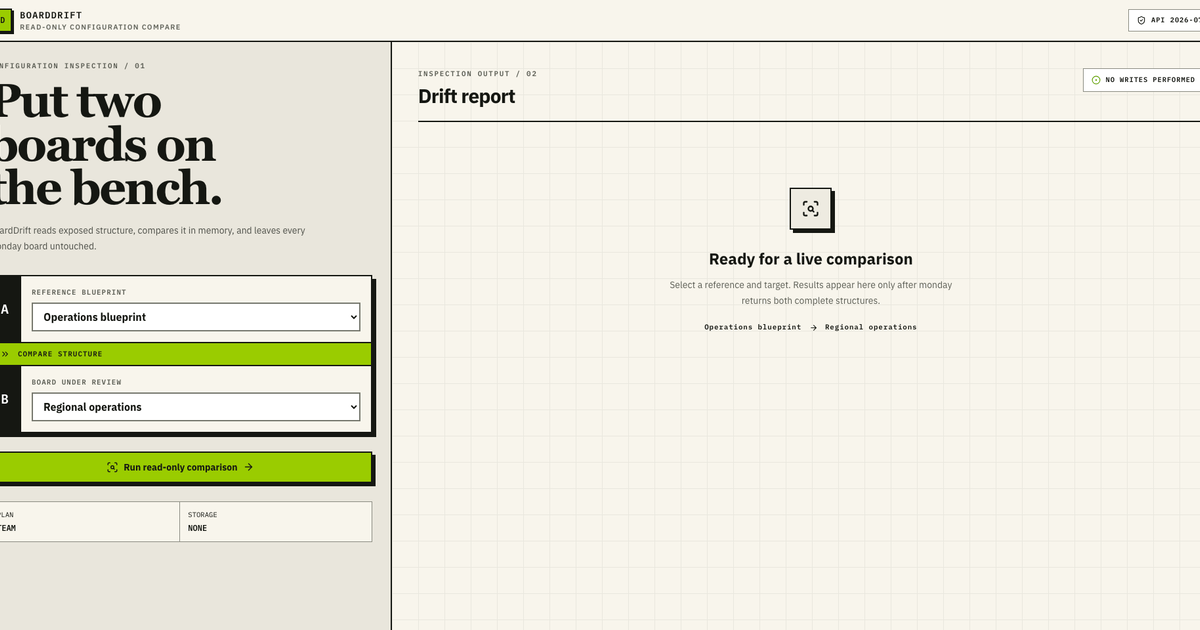
To see this method on supplied synthetic structures, run the BoardDrift sample and use the same page to request a paid connected-board feasibility review. The sample is read-only and does not change a monday.com board.